Uses the liblekhika package for the core Lekhika library. See the build instructions below.
Download the database and place it in ~/.local/share/lekhika-core/ manually if you want to use the pre-trained file. Alternatively, use lekhika-cli from the command line. lekhika-cli is included with the liblekhika package.
Optionally, you can install lekhika-trainer, a Qt6 GUI application for easy dictionary manipulation and testing.

Note
To create a good database, we need a valid Nepali word list file with many words per line.
We can train the model with any text file, but the function to filter for only valid words is not yet complete.
If you would like to contribute, please create a file named wordlist.txt and submit a pull request.
fcitx5-lekhika is a transliteration-based input method for Fcitx5 focused on improving Nepali typing workflows. The project uses the core transliteration engine from liblekhika, which is a separate package and must be installed first as a dependency.
fcitx5-lekhika: A phonetic and rule-based input method engine that provides system-wide integration for seamless Nepali typing.
-
Powered by the
liblekhikacore engine:- Unicode-compliant Nepali transliteration.
- Modular architecture with TOML-based mapping for easy customization.
- Autocorrection for common typos via customizable dictionaries.
- Clean integration with the Fcitx5 input method framework.
-
Key Functions:
- Space → Commits the transliterated word. If suggestion commit is enabled, it commits the first suggestion. If you have navigated the suggestions with an arrow key, it commits the highlighted suggestion.
- Enter → Commits the transliterated word if there are no suggestions. If suggestions are present, it commits the highlighted one.
- Numbers 1-9 → Commits the corresponding numbered suggestion. Otherwise, it inputs the digit. If number transliteration is enabled, it inputs the Nepali numeral.
- Esc → Commits the raw English text as typed.
- Symbols → If symbol transliteration is enabled, keys like
*are converted to their Nepali counterparts. The full stop and question mark always commit the current text and are not used for suggestions. - Arrow Up/Down → Navigates through the suggestion list.
- Arrow Left/Right → Changes the cursor position in the input buffer.
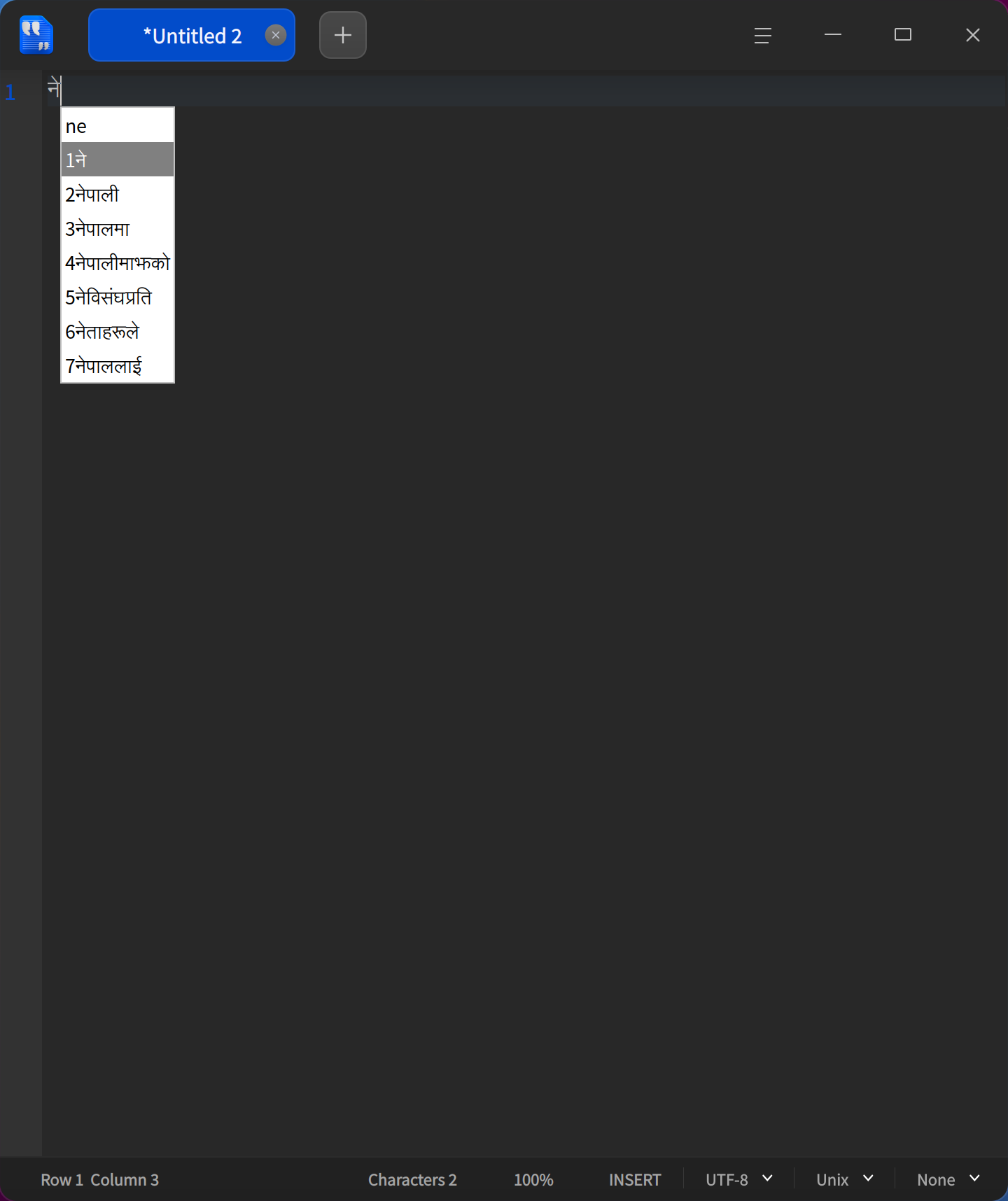
To build this project from source, you will need the following development packages.
sudo apt-get update
sudo apt-get install build-essential cmake ninja-build \
libfcitx5core-dev libfcitx5config-dev libfcitx5utils-dev \
libsqlite3-dev libicu-dev
Shell
sudo dnf install rpm-build cmake ninja-build gcc-c++ \
fcitx5-devel qt6-qtbase-devel sqlite-devel libicu-devel
Shell
sudo pacman -Syu --needed base-devel cmake ninja \
fcitx5-qt qt6-base sqlite icu
First, build and install liblekhika:
Shell
git clone [https://github.com/khumnath/liblekhika.git](https://github.com/khumnath/liblekhika.git)
cd liblekhika
cmake -B build -G Ninja -DCMAKE_BUILD_TYPE=Release -DCMAKE_INSTALL_PREFIX=/usr
cmake --build build
sudo cmake --install build
cd ..
Next, build and install fcitx5-lekhika:
Shell
git clone [https://github.com/khumnath/fcitx5-lekhika.git](https://github.com/khumnath/fcitx5-lekhika.git)
cd fcitx5-lekhika
cmake -B build -G Ninja -DCMAKE_BUILD_TYPE=Release -DCMAKE_INSTALL_PREFIX=/usr
cmake --build build
sudo cmake --install build
To uninstall the project later, you can run sudo make uninstall from within the build directory.
Note
build action file is deleted after try to build packages. for now user should build and install from source. see above
Prebuilt packages will be available in the near future.
After installation, you need to enable the input method:
-
Run
fcitx5-configtool(or right-click the Fcitx5 icon in your system tray and choose "Configure"). -
Go to the Input Method tab.
-
Click the + button in the bottom-left corner.
-
Uncheck "Only Show Current Language".
-
Search for "Lekhika" and add it to the list of active input methods.
-
You can now switch to it using your configured hotkey (e.g.,
Ctrl+Space).
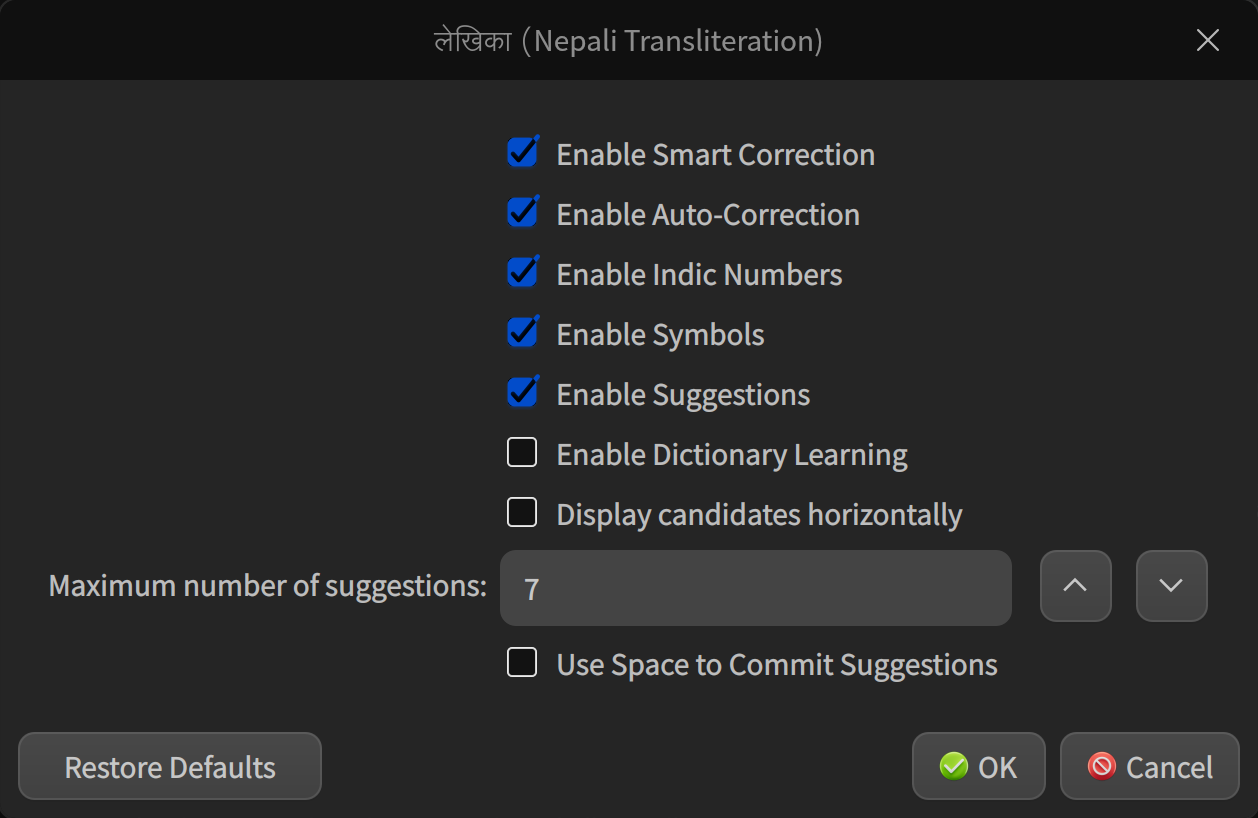
The lekhika-cli tool (installed with liblekhika) allows you to manage the dictionary used by the input method.
Check the lekhika-cli command-line options for more details, or use the lekhika-trainer GUI for easy dictionary management and testing.
| File / Directory | Description |
|---|---|
/usr/lib/*/fcitx5/ |
Input method engine (fcitx5lekhika.so). |
/usr/lib/*/liblekhika.so.* |
The core transliteration library. |
/usr/share/fcitx5/addon/ |
Addon configuration (metadata). |
/usr/bin/lekhika-cli |
CLI tool for data manipulation. |
/usr/share/fcitx5/inputmethod/ |
Input method descriptor. |
/usr/share/lekhika-core/ |
Runtime data (e.g., mapping.toml). |
/usr/share/metainfo/ |
AppStream metadata. |
/usr/share/icons/hicolor/**/ |
Application icons. |
~/.local/share/lekhika-core/ |
User-specific dictionary database. |
To customize the transliteration rules, you can manually edit the TOML files located in:
/usr/share/lekhika-core/
Your changes will take effect after restarting Fcitx5. For testing dictionary changes, using the Lekhika Trainer GUI is recommended.
Pull requests are welcome. Areas where help is needed include:
-
Unicode enhancements
-
Packaging for distributions
-
Dictionary building
-
Transliteration accuracy
-
Creating an IBus input method using the
liblekhikalibrary
I’d love your help!
Licensed under the GNU General Public License v3. See LICENSE for details.