




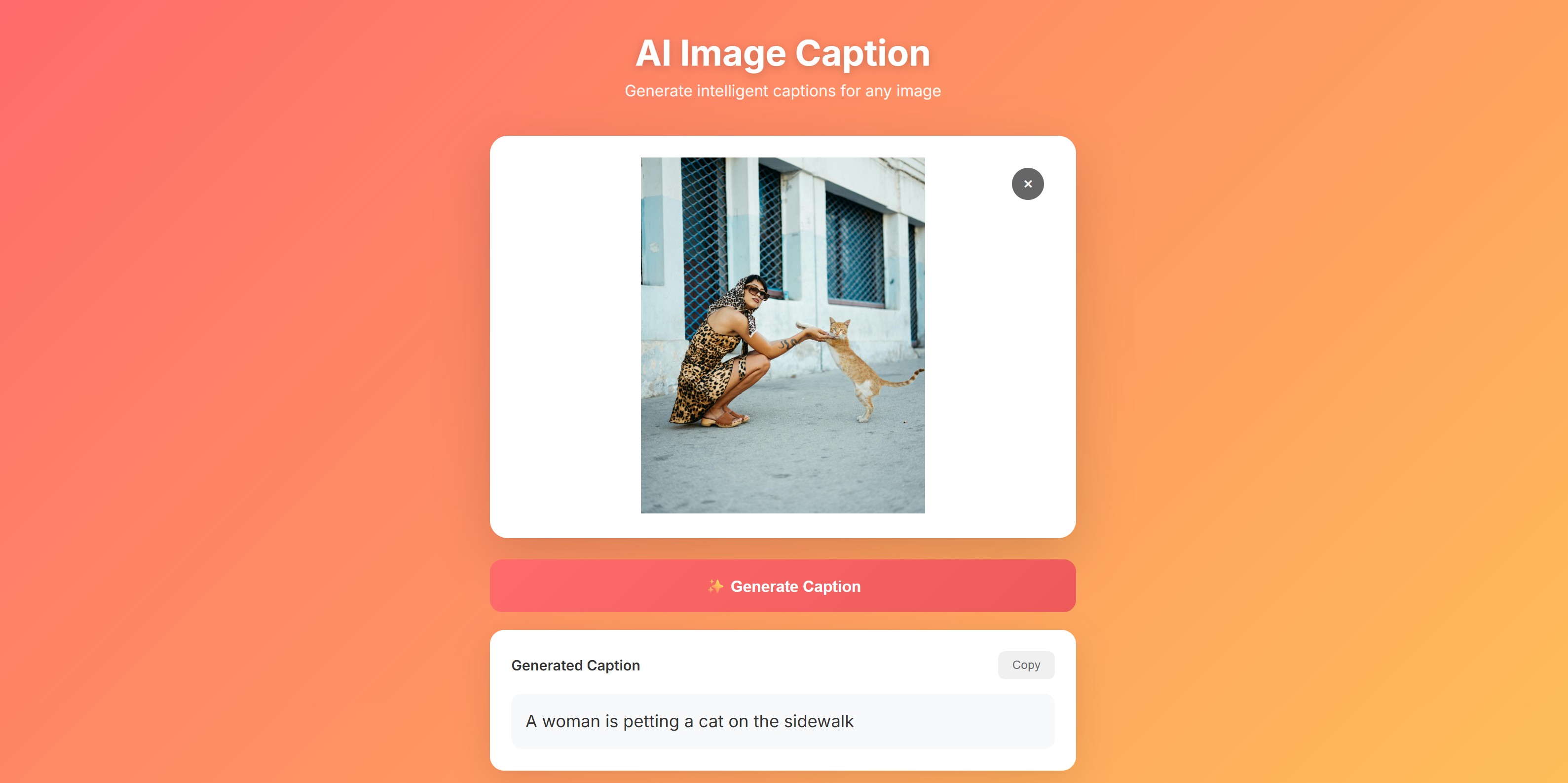
A beautiful React application that uses AI to generate intelligent captions for any image. Upload an image and get an instant, accurate description.
This tutorial requires an APIVerve API key. Sign up free - no credit card required.
- AI-powered image captioning
- Drag and drop image upload
- Beautiful gradient UI design
- Caption history with thumbnails
- One-click copy to clipboard
- Support for JPG, PNG, and GIF
- Responsive mobile design
- Real-time loading states
-
Clone this repository
git clone https://github.com/apiverve/image-caption-react-tutorial.git cd image-caption-react-tutorial -
Install dependencies
npm install
-
Add your API key
Open
.envand add your API key:VITE_API_KEY=your-api-key-here -
Start the development server
npm run dev
-
Open in browser
Navigate to
http://localhost:5173
image-caption-react-tutorial/
├── src/
│   ├── App.jsx          # Main component with API logic
│   ├── App.css          # Styling
│   └── main.jsx         # React entry point
├── index.html           # HTML template
├── package.json         # Dependencies
├── vite.config.js       # Vite configuration
├── .env                 # Environment variables (add your API key)
├── screenshot.jpg       # Preview image
├── LICENSE              # MIT license
├── .gitignore           # Git ignore rules
└── README.md            # This file
- User uploads image - Drag & drop or click to select
- Image preview - Shows the selected image
- API request - Sends image to APIVerve Image Caption API
- AI analysis - API uses computer vision to understand the image
- Caption display - Shows generated caption with copy button
- History tracking - Keeps recent captions for reference
const formData = new FormData();
formData.append('image', imageFile);

const response = await fetch(API_URL, {
  method: 'POST',
  headers: {
    'x-api-key': API_KEY
  },
  body: formData
});Endpoint: POST https://api.apiverve.com/v1/imagecaption
Headers:
| Header | Value |
|---|---|
x-api-key |
Your API key |
Request Body: multipart/form-data
| Field | Type | Required | Description |
|---|---|---|---|
image |
file | Yes | Image file (JPG, PNG, GIF, max 5MB) |
Example Response:
{
  "status": "ok",
  "error": null,
  "data": {
    "caption": "A golden retriever dog sitting on a grassy lawn in a park during sunset",
    "confidence": 0.95
  }
}AI image captioning is powerful for:
- Accessibility - Generate alt text for visually impaired users
- Content Management - Auto-tag images in CMS systems
- Social Media - Generate engaging captions for posts
- E-commerce - Create product image descriptions
- Photo Organization - Search and categorize images
- SEO - Improve image search rankings with descriptions
- Archiving - Document image contents for future reference
- Add batch processing for multiple images
- Integrate with cloud storage (S3, Google Cloud)
- Add caption editing and refinement
- Support URL-based image input
- Add language translation for captions
- Export captions to CSV/JSON
- Add caption styling options
- React 18 - UI framework
- Vite - Build tool and dev server
- CSS3 - Styling with gradients and animations
Explore more APIs at APIVerve:
- Image Classify - Classify images into categories
- NSFW Detector - Detect inappropriate content
- Image to Text (OCR) - Extract text from images
MIT - see LICENSE
- Get API Key - Sign up free
- APIVerve Marketplace - Browse 300+ APIs
- Image Caption API - API details