
This package provides an easy way to integrate Campaign Monitor with Statamic forms and user registrations.
- PHP 8.1+
- Statamic v4
You can install this package via composer using:
composer require statamic-rad-pack/campaign-monitorThe package will automatically register itself.
Set your Campaign Monitor API Key and Client ID in your .env file. Instructions on how to find these can be found here.
CAMPAIGNMONITOR_API_KEY=your-api-key-here
CAMPAIGNMONITOR_CLIENT_ID=your-client-id-here
Publish the config file to config/campaign-monitor.php run:
php artisan vendor:publish --tag="campaign-monitor-config"Create your Statamic forms as usual. When editing the form you'll see a "Campaign Monitor Integration" section where you can configure if and how that form integrates with Campaign Monitor.
Don't forget to add the consent field to your blueprint.
You can also manage if new users are added a list using the dedicated settings view in the control panel.
Configuration in the Control Panel:
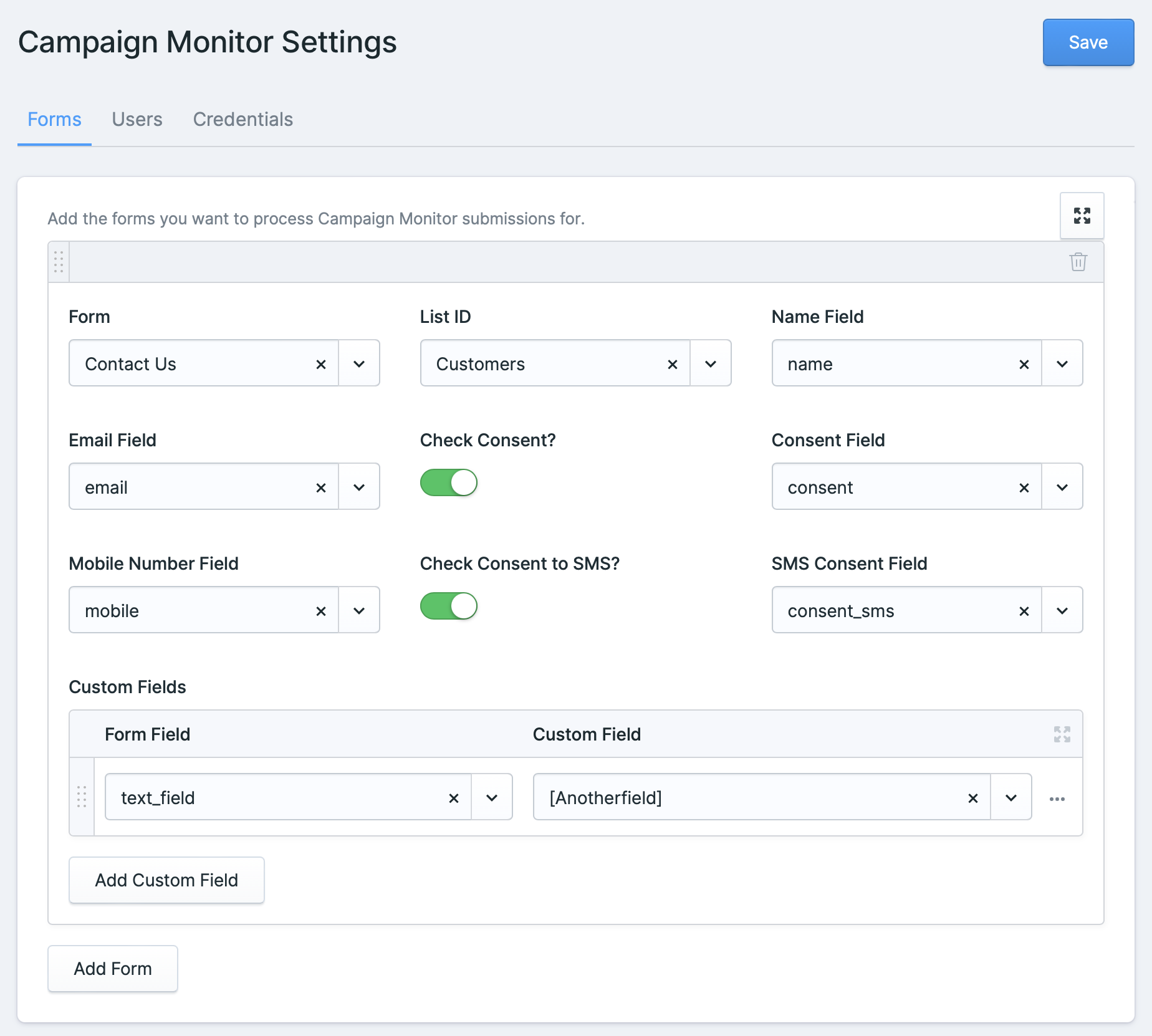
Any user related settings are stored by default in resources/campaign_monitor.yaml.
If you want to change this or use a different data store, you can bind \StatamicRadPack\Mailchimp\UserConfig::class in your app service provider. You should modify the getSavedSettings, save, and exists methods according to your requirements.
Run the tests with:
vendor/bin/phpunitPlease see CHANGELOG for more information what has changed recently.
Please see CONTRIBUTING for details.
Please see SECURITY for details.